
Build robots that can perceive, interact and act.
Bring intelligence into the physical world with RoboWorks.
Build mobile robots and tabletop robot agents that can sense their surroundings, capture spatial, video, audio and IoT data, interact with people and connect to digital systems to perform meaningful tasks.
From Ambient Engineering to Physical AI-driven actions, RoboWorks brings robotic hardware, the ROS stack, perception, connectivity and application integration together.

From mobile robots to intelligent tabletop agents.
Different applications need different forms of robotic intelligence. Start with a mobile robotic platform that perceives and moves through its environment, or a tabletop robot agent that interacts with people, applications and connected systems.

A mobile robot that senses and understands its environment.
Build mobile robotic systems with a full ROS stack and multi-modal perception. Capture 3D spatial information, video, audio and IoT sensor data from the surrounding environment.

A robot agent that sees, hears, interacts and acts.
Build an intelligent tabletop robotic companion with eyes and ears to perceive its surroundings, hands and legs to interact physically, and a display to communicate outcomes. Connect it to internet services, third-party applications and customer infrastructure to perform useful tasks.
Give your mobile robots a complete view of the physical world.
RoboWorks Cart brings a full ROS-based robotics stack together with multi-modal environmental capture. Build mobile robots that can move through their environment while capturing spatial, visual, audio and sensor information.

A mobile robotic platform for perception-driven applications—not limited to warehouse AMR positioning. Specifications, sensor models and ROS distribution details are stated only when verified.
3D spatial scanning
3D scanning of the surrounding environment, spatial data capture, mapping and environment understanding—supporting robotics navigation and spatial workflows.
Video capture
Capture video from the robot’s environment to support visual perception and monitoring workflows, and make video data available to downstream processing and applications.
Audio capture
Capture audio for speech-to-text and environmental sound recognition, then feed that context into downstream intelligence workflows.
IoT sensor capture
Capture data from connected IoT sensors, integrate external sensor information, and combine multiple data sources for environment awareness.
Full ROS stack
ROS-based robotics software foundation for sensor and subsystem integration, navigation and spatial capabilities, data capture and processing, and extensibility for application-specific robotics workflows. RoboWorks NavKit is the navigation and spatial capability within this broader stack.
A robot agent with eyes, ears, hands and legs.
RoboWorks Companion brings Ambient Engineering and Physical AI into a tabletop robotic form. It can perceive through its cameras and microphones, interact through physical movement, communicate through its display, and connect to internet services, applications and customer infrastructure.
It acts as a physical interface between people, digital systems and the surrounding environment—not just a conversational robot or smart speaker.
Eyes
Visual perception through cameras—observe surroundings, capture visual context and support application-specific visual understanding.
Ears
Audio capture for human interaction—including speech-to-text and environmental sound recognition—so the robot can understand spoken requests and ambient audio context.
Hands and legs
Physical movement and interaction using available mechanisms to support application-specific physical tasks.
Display
Show outcomes and information, present interaction feedback, communicate task status and provide a visual interface between robot and user.
Internet and applications
Connect to internet services, third-party applications, customer infrastructure and enterprise systems—including ERPNext as an example of enterprise integration.
RoboWorks Companion is a tabletop robot agent—not just a robot that responds to people, but one that can connect to applications and participate in getting work done.


Bring Ambient Engineering into the physical world.
Ambient Engineering enables robots to be aware of their surrounding environment through continuous sensing and multi-modal data capture. Instead of operating only on explicit commands, robots can collect contextual information from the physical environment and make it available to intelligent workflows.
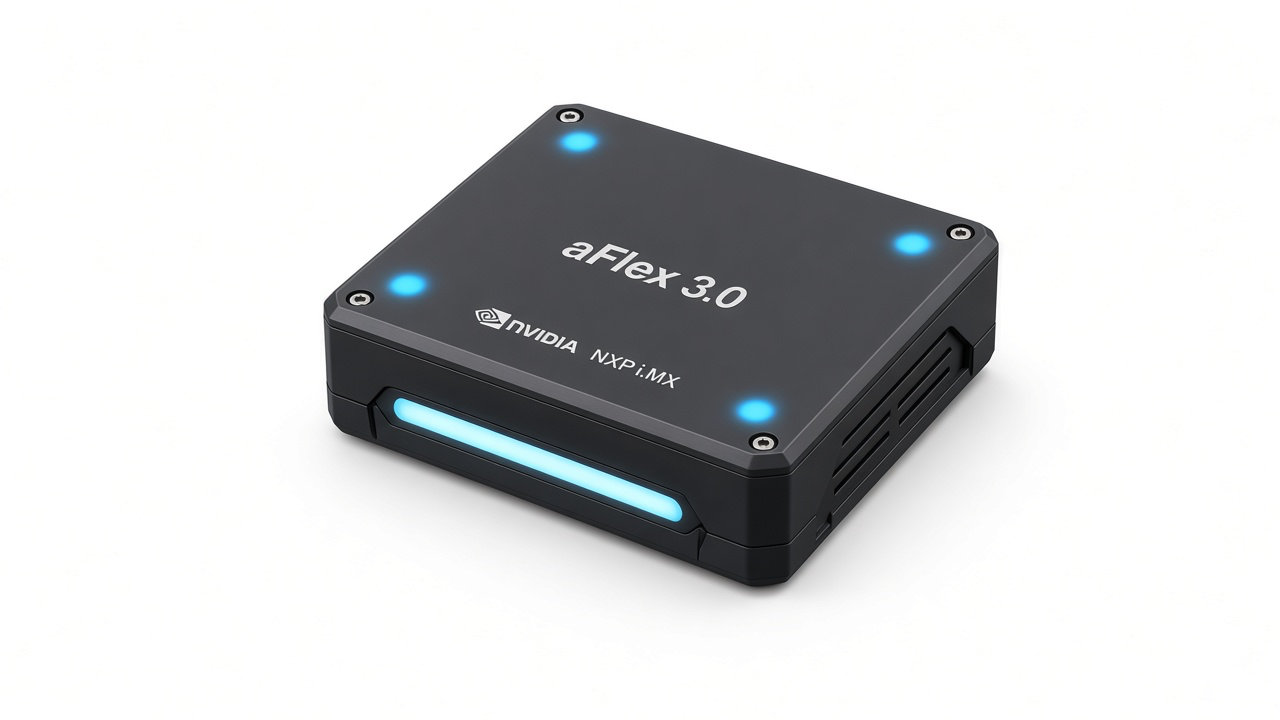
Spatial awareness
3D scanning, spatial information, environmental mapping and context.
Visual awareness
Video capture and visual observation—context from the robot’s surroundings.
Audio awareness
Speech-to-text and environmental sound recognition—capturing spoken interaction and ambient audio context for intelligent workflows.
Sensor awareness
IoT sensor data and connected sensor inputs—combining environmental and device information.
Ambient sensing feeds intelligent applications. Continuous autonomous surveillance, always-on recording or specific AI inference are scoped per deployment.
Move beyond sensing. Make robots act.
RoboWorks combines environmental awareness with connected intelligence to enable robots to perform physical and internet-connected tasks. Through Physical AI, a robot can connect its understanding of the physical environment with applications, services and enterprise systems to carry out useful work.
Physical actions
Move and interact using available robotic mechanisms. Perform application-specific physical tasks as part of a workflow.
Internet-based actions
Connect to internet services, trigger application workflows, interact with third-party services and perform tasks using connected applications—where supported.
Enterprise actions
Connect to ERPNext and customer enterprise infrastructure, participate in business workflows and exchange information with third-party applications.
Example: tabletop robot agent
Example workflow—configured per application and integration.
- A user asks the robot to perform a task.
- The robot receives the interaction through sensing and communication capabilities.
- Connected intelligence identifies the required application workflow.
- The robot connects to the relevant service or enterprise system.
- It performs the supported digital action.
- It communicates the outcome through its display and available interaction mechanisms.
Example: mobile cart
Example workflow—configured per application and integration.
- The cart moves through an environment.
- It captures 3D, video, audio and IoT sensor data.
- The robotic stack processes and makes the information available.
- Connected applications or customer infrastructure receive relevant information.
- A configured workflow triggers the required response or task.
Third-party actions (for example ERPNext or ordering apps) use supported APIs, permissions and configured workflows—not pre-integrated turnkey features unless confirmed for your build.
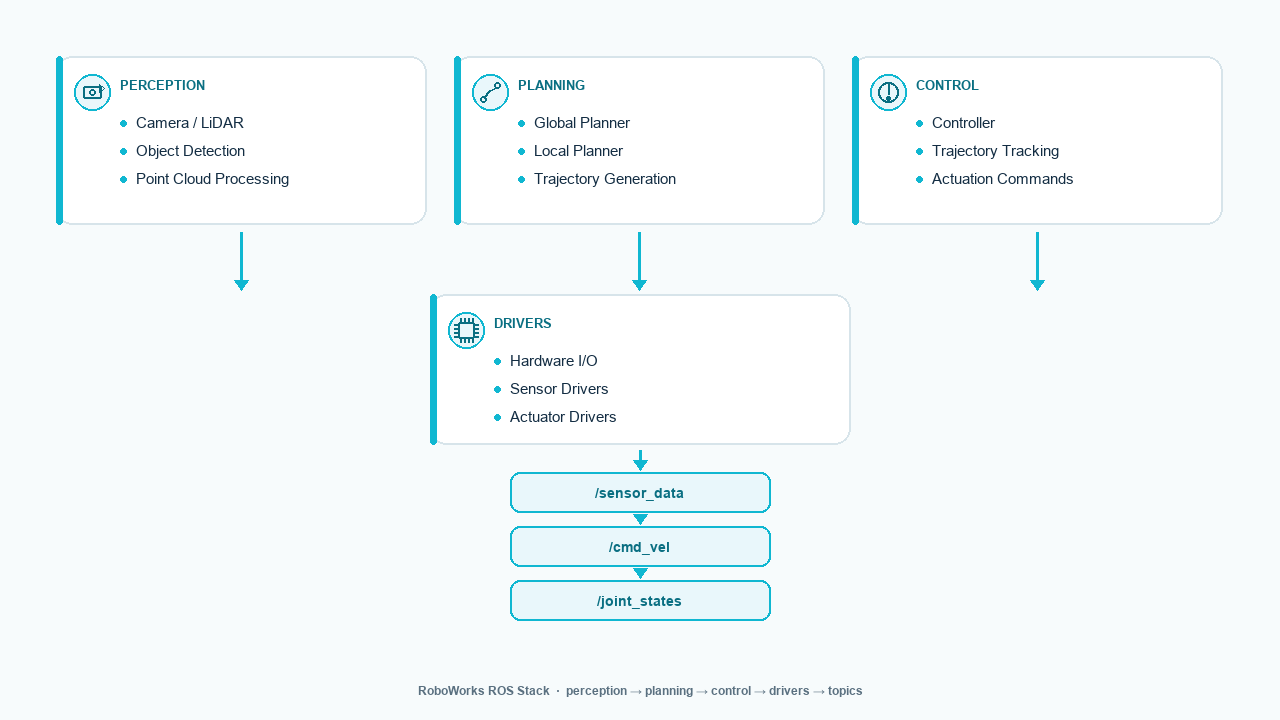
A complete robotics software foundation, built on ROS.
RoboWorks brings together the robotics software, sensing and integration capabilities needed to develop intelligent robotic products.
RoboWorks NavKit is the domain-specific navigation and spatial capability within the broader ROS-based robotics software foundation.
Connect your robots to the applications and systems that run your business.
RoboWorks robots can connect to internet services, third-party applications and customer infrastructure through APIs and integration workflows. The robot becomes a connected participant in the customer’s digital ecosystem.
Internet services
Internet-connected applications, external services and configured workflows and actions.
- External services
- Configured workflows
- Application actions
Enterprise systems
ERPNext, customer enterprise platforms, business applications and operational systems.
- ERPNext
- Business applications
- Operational systems
Customer applications
Custom backends, web portals, existing customer infrastructure and application-specific APIs.
- Custom backends
- Web portals
- Application APIs
AL Studio provides the common engineering and API foundation. Integration scope depends on available APIs, authentication, permissions and customer requirements—not every external service is automatically supported.

Monitor and manage your robotic systems.
Use a dedicated web portal to understand robot status, view available operational information and manage connected robotic platforms. Fleet monitoring is an important supporting capability—the central differentiator remains Ambient Engineering and Acting.
RoboWorks Portal
The primary monitoring experience is web-based through RoboWorks Portal.

Build on reusable engineering foundations.
RoboWorks builds on reusable hardware, embedded and software capabilities from the Akhila Labs ecosystem. AL Studio is optional—not required for every robot operation.
AL Studio
Common engineering workspace, reusable APIs and SDKs, component integration, hardware/software development foundation and extension of customer-specific workflows.
Explore AL StudioAL DeviceHub
Embedded hardware and software, connectivity and device integration, device provisioning, and OTA and diagnostics where supported.
Explore AL DeviceHubOne robotic ecosystem. Multiple ways to perceive and act.
Two distinct robotic platforms feed into shared intelligence, integration and operations capabilities. Paths are separated for capture, intelligence, physical actions, digital actions and monitoring.

Bring your Physical AI idea into the real world.
Whether you are developing a mobile robotic platform, an intelligent tabletop robot agent or a specialised robotic solution, Akhila Labs can help you integrate the hardware, ROS stack, multi-modal sensing, intelligence and connected applications.
Start with RoboWorks Cart
Use the mobile robotic platform and ROS foundation to build perception-driven robotic applications.
View Cart in Ready HardwareStart with RoboWorks Companion
Use the tabletop robot agent foundation to develop interactive, connected and action-oriented robotic experiences.
View Companion in Ready HardwareBuild a complete Physical AI solution
Combine mobile robots, tabletop agents, environmental awareness, physical actions and enterprise integrations into a larger solution.
Browse robotics hardware